Write!
Write! is an easy-to-use, what-you-see-is-what-you-get document editor. The page on screen is the page you print, publish, or send.
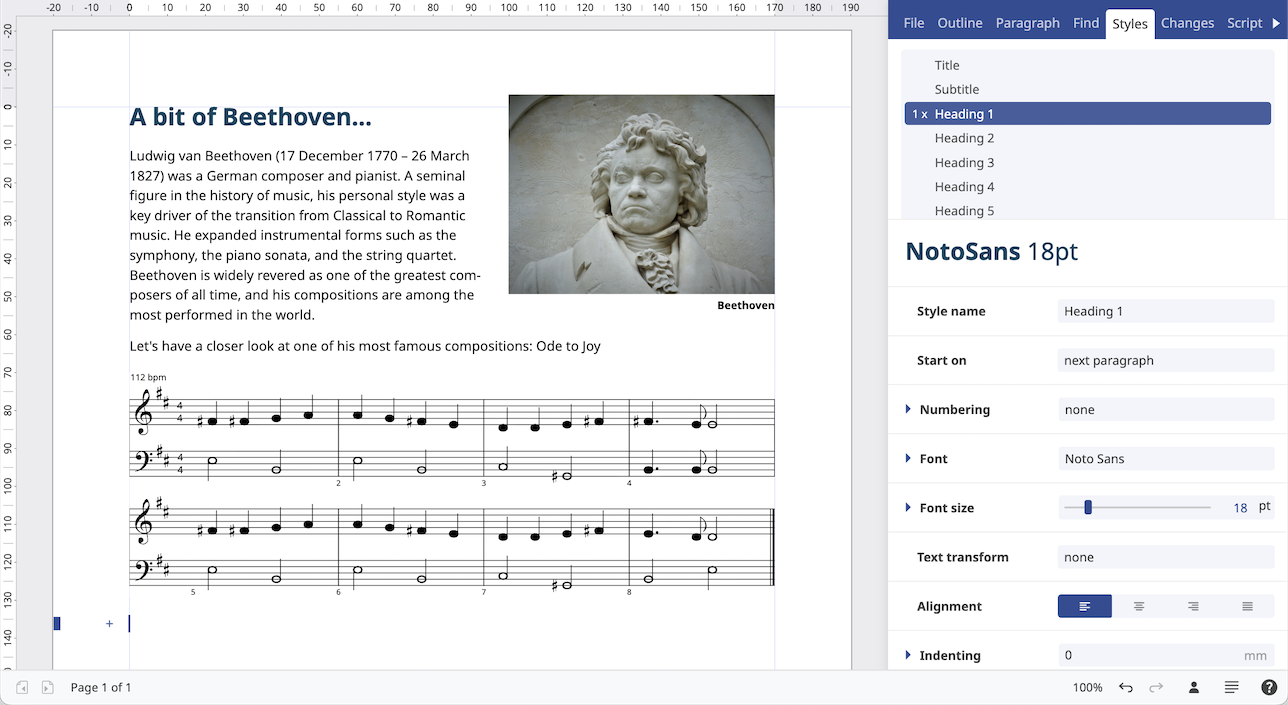
What you see is what you get
You write on the page itself. Headings, body text, lists, tables, images, headers, and footers stay where they will appear in the finished document, so a letter, a report, or a booklet does not need a separate preview step.
Exchange documents with others
Open a file someone sent you, edit it, and send it back in a format they already use. Write! reads and writes its own documents, Microsoft Word, OpenDocument Text, HTML, PDF, EPUB, plain text, and Markdown. Every supported format is listed at the bottom of this page.
A growing library of plugins
Plugins add new capabilities without replacing the editor. Pull pictures from stock photo libraries, insert mathematical or chemistry formulas, work with an AI assistant, place a map, or add a game—and more as the catalogue grows.
Prepare documents for commercial printing
Set up a document in CMYK, the ink model commercial presses use. Soft proofing shows an on-screen preview of how those inks will look on paper, so colour can be checked before the file goes to the printer.
Page thumbnails
Clickable page thumbnails sit beside the document. Scan the pages and jump straight to the one you need, without scrolling through the whole file.
Outline view
An outline of the headings shows how a long document is built. Reorder sections there, and move through the document from the structure instead of hunting for the next heading.
Keyboard shortcuts
A built-in cheat sheet lists the keyboard shortcuts. Learn them as you work, and keep more of the editing on the keyboard so you can move faster.
Styles library
Keep headings, body text, and the other formatting of a document in a styles library. Apply those styles so every document follows the same corporate identity.
Read out loud
Have the document read aloud. Hearing the wording is a quick way to check a draft, and it keeps the text available when reading on screen is not the right option.
Built-in script editor
A script editor in Write! lets you automate tasks with JavaScript. Generate a document, or change the one you have open, from code you write yourself.
File formats
| Format | Extensions | Read | Write |
|---|---|---|---|
| Webdesq Write! | .write | Yes | Yes |
| Microsoft Word | .docx, .doc, .dotx, .dot | Yes | Yes |
| OpenDocument Text | .odt, .odf | Yes | Yes |
| HTML | .html | Yes | Yes |
| Yes | Yes | ||
| EPUB | .epub | Yes | Yes |
| Plain text | .txt | Yes | Yes |
| Markdown | .md | Yes | Yes |