Calc!
Calc! is a spreadsheet for numbers, lists, and tables. The grid on screen is the workbook you calculate in, save, and share.
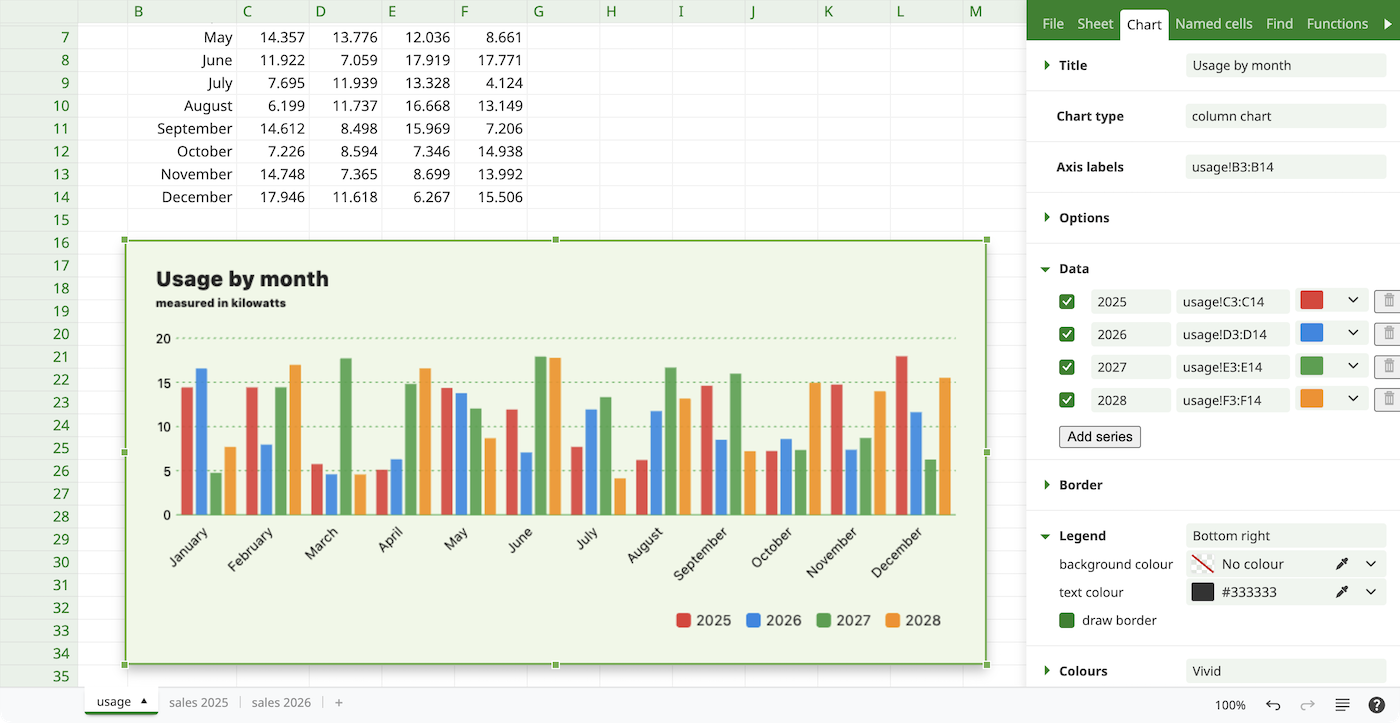
Formulas that stay in view
Type a formula in a cell and the result shows there. Change a value and every cell that depends on it updates. Built-in functions cover totals, averages, lookups, and the other calculations a workbook needs day to day.
Charts from the same sheet
Turn a range into a bar, line, or pie chart. The chart sits with the numbers it came from, so a trend is visible without reading every row.
Exchange workbooks with others
Open a file someone sent you, work in it, and send it back in a format they can open. Calc! reads and writes its own workbooks, Microsoft Excel, OpenDocument spreadsheets, delimited text such as CSV, and SQLite. It can also write PDF, and it can open Parquet, FileMaker, and Microsoft Access. Every supported format is listed at the bottom of this page.
Sort and filter
Sort a column and filter the rows so a long sheet shows the records you need. The rest of the workbook stays in place.
File formats
| Format | Extensions | Read | Write |
|---|---|---|---|
| Webdesq Calc! | .calc | Yes | Yes |
| Microsoft Excel | .xlsx, .xls, .xlsm, .xlsb, .xltx, .xltm | Yes | Yes |
| OpenDocument Spreadsheet | .ods | Yes | Yes |
| Delimited text | .csv, .tsv, .psv | Yes | Yes |
| No | Yes | ||
| SQLite | .sqlite, .db | Yes | Yes |
| Apache Parquet | .parquet, .pq | Yes | No |
| Claris FileMaker Pro | .fmp12, .fmp, .fp7, .fp5, .fp3 | Yes | No |
| Microsoft Access | .accdb, .accde, .accdt, .accdr | Yes | No |
| Microsoft Access (legacy) | .mdb, .mde, .mdw | Yes | No |